Get One Month of Starlink FreeSPECIAL OFFER: GET A FREE MONTH OF STARLINK >
9

Troubleshooting & Fixes

Useful fixes for Starlink dropouts, obstructions, slow speeds, Wi-Fi faults and hardware problems.

More from Troubleshooting & Fixes

View playlist

Starlink: 'Obstructed user performance is a priority'

DISHYtech presents “Starlink: 'Obstructed user performance is a priority'”. Dish placement and obstruction performance. Compare the app's running obstruction evidence with interruptions in real use. Published by the creator: 2024-03-20. Curated for Starlink Tips: 20 November 2026. Product revisions, software and regional service terms may have changed since filming. Related guide: How to Identify Your Starlink Kit Before Buying Cables, Adapters or Mounts Identify Starlink Kit Before Buying Cables Adapters Mounts Related answer: How can I find a suitable Starlink position around trees and buildings? Will Starlink Work Trees Buildings Obstructions Check the current Starlink offer through our referral link: Starlink Starlink Tips may receive a referral reward. Confirm the offer and eligibility shown for your order.

Questions & answers

Questions about this video

Straight answers to the questions readers ask most often.

How can I find a suitable Starlink position around trees and buildings?

Trees and buildings can interrupt Starlink when they block the path between the dish and a satellite. An installation can connect successfully and still suffer interruptions, so an occasional good speed test is not proof that the location is suitable.

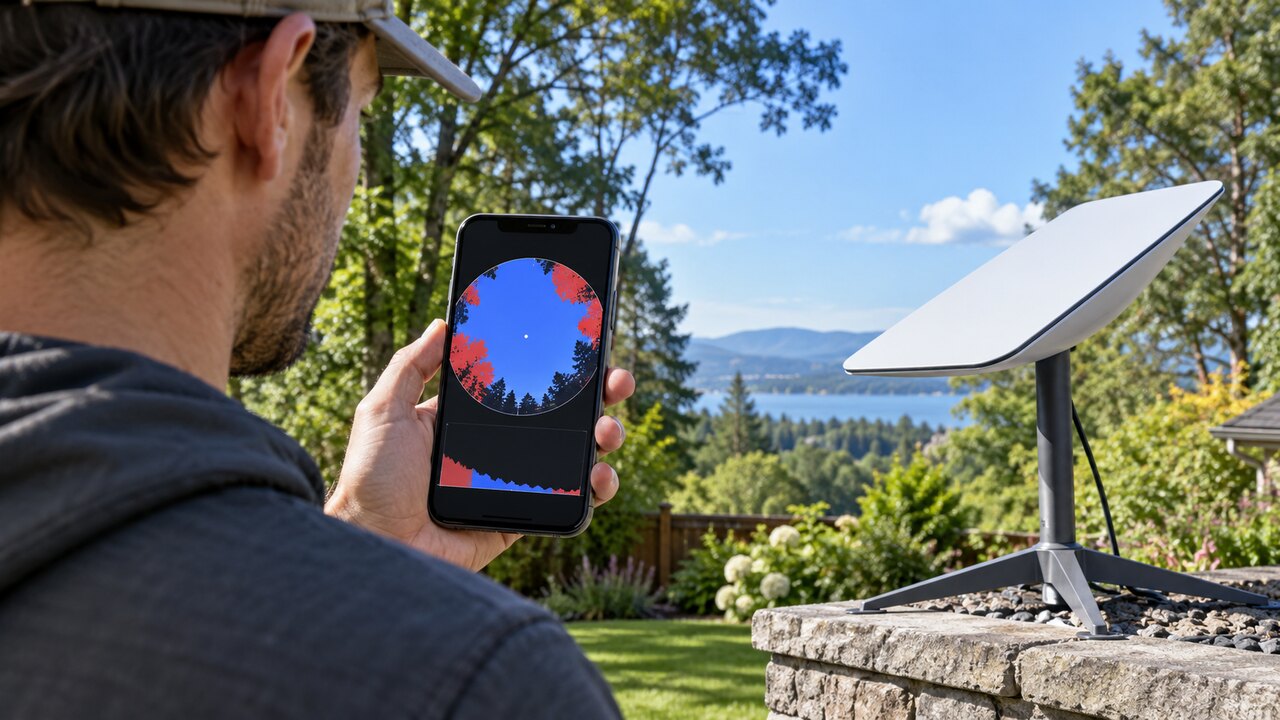
Use the Starlink app's obstruction tool to assess the proposed position before committing to a mount. Our practical checklist is:

  1. Compare several safely accessible positions around the property.
  2. Assess the intended dish position and height as closely as safe access allows. A check from the middle of the garden does not establish that a position beside the house will work.
  3. Consider how the view may change: leaves, growing branches, parked vehicles and future building work.
  4. Plan the cable route and maintenance access alongside the sky view.
  5. After installation, compare any interruption times with the app's obstruction information and your actual calls or other live applications.

A stronger indoor router or mesh system addresses local Wi-Fi coverage; it cannot remove a physical obstacle in the dish's view. If a clearer location requires work at height, ask a suitable installer to assess it.

Read our ground-mount location guide. For a related demonstration, see the video in our library: Why Starlink Fails: Rain, Obstructions & Solar Storms. A creator's demonstration is not a guarantee of results at your property.

Technical reference: Starlink Standard installation guide.

Reviewed: 23 September 2026.

Get One Month of Starlink Free

Claim Your Free Month

Order through my referral link and activate your service. Your second month of Starlink service will be free.
Open and share this answer
Browse all questions