Get One Month of Starlink FreeSPECIAL OFFER: GET A FREE MONTH OF STARLINK >
Wireless router and cable representing Starlink hardware and accessories

Starlink Hardware & Accessories

Reviews and guides covering Starlink routers, mounts, adapters, cables and useful accessories.

More from Starlink Hardware & Accessories

View playlist

Starlink Gen 3 WiFi Router and Mesh Network Test - How far can it reach?

Homestead Bandwagon reviews the equipment or networking setup in “Starlink Gen 3 WiFi Router and Mesh Network Test - How far can it reach?”. Starlink Tips viewing notes: Wi-Fi range depends on the building and placement as well as the router. Test the rooms you use and the links between mesh nodes; an open-area range result is not an indoor coverage guarantee. Related answer: Where should I put my Starlink router for better Wi-Fi coverage? — Best Place Starlink Router Wifi Coverage Related guide: How to Improve Starlink Wi-Fi: Mesh Systems and Routers — How To Boost Your Starlink Wi Fi Coverage A Complete Guide To Mesh Systems And Routers Get One Month of Starlink Free — Claim Your Free Month: Starlink Order through my referral link and activate your service. Your second month of Starlink service will be free. Starlink Tips may receive a referral reward. Check the offer shown by Starlink for your order.

Starlink Gen 3 WiFi Router and Mesh Network Test - How far can it reach?

Homestead Bandwagon reviews the equipment or networking setup in “Starlink Gen 3 WiFi Router and Mesh Network Test - How far can it reach?”. Starlink Tips viewing notes: Wi-Fi range depends on the building and placement as well as the router. Test the rooms you use and the links between mesh nodes; an open-area range result is not an indoor coverage guarantee. Related answer: Where should I put my Starlink router for better Wi-Fi coverage? — Best Place Starlink Router Wifi Coverage Related guide: How to Improve Starlink Wi-Fi: Mesh Systems and Routers — How To Boost Your Starlink Wi Fi Coverage A Complete Guide To Mesh Systems And Routers Get One Month of Starlink Free — Claim Your Free Month: Starlink Order through my referral link and activate your service. Your second month of Starlink service will be free. Starlink Tips may receive a referral reward. Check the offer shown by Starlink for your order.

Questions & answers

Questions about this video

Straight answers to the questions readers ask most often.

Where should I put my Starlink router for better Wi-Fi coverage?

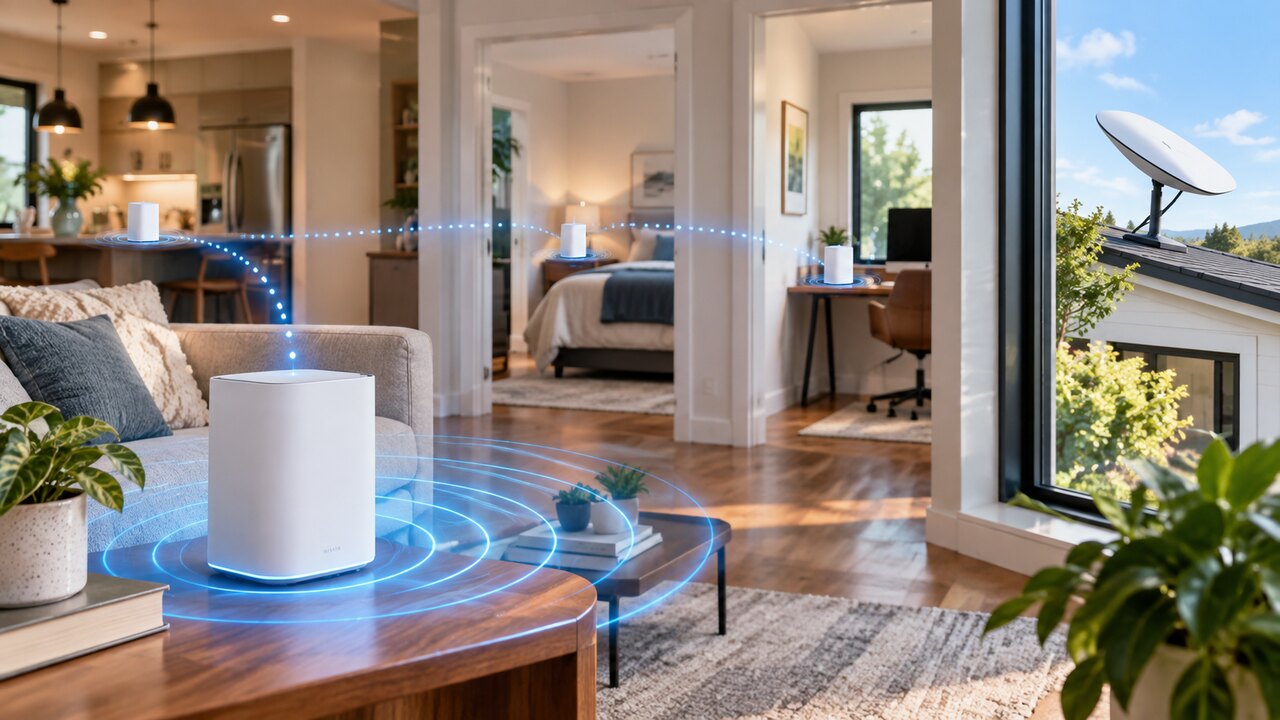
Start with an open position near the rooms where you use Wi-Fi most. For a separate indoor router, a shelf is usually a better candidate than the floor or a closed cupboard. Starlink's guidance favours central coverage and avoiding barriers such as masonry, large mirrors and furniture.

The best position is a tested location, not simply the point closest to the dish cable:

  • Map your priorities. Identify the work desk, television and other places where a reliable connection matters.
  • Choose a safe location. Allow ventilation, keep cables clear of doors and walking routes, and follow your router's environmental requirements.
  • Compare two or three positions. Test from the same devices in the same rooms after each move.
  • Check normal use. Opening a website once is a weaker test than a sustained call or streaming session.
  • Keep the best overall result. Improving one room while making three others unusable is not a successful change.

Do not confuse dish positioning with router positioning. The dish needs an appropriate outdoor sky view; indoor Wi-Fi coverage is a separate part of the installation. Starlink Mini has integrated Wi-Fi, so these separate-router placement choices do not directly apply to the Mini dish itself.

Read where your Starlink router should go. If positioning alone is insufficient, see our practical Wi-Fi improvement guide.

Official references: Starlink mesh placement guidance and Mini hardware specifications.

Reviewed: 23 September 2026.

Get One Month of Starlink Free

Claim Your Free Month

Order through my referral link and activate your service. Your second month of Starlink service will be free.
Open and share this answer
Browse all questions